
Picture the scene: a deadline tomorrow, a blank presentation file, and no time to design 25 slides by hand. That exact pressure is why AI presentation makers like AutoPPT exploded in popularity—and why choosing the right one actually matters. This guide does two things.
First, it gives you a clear, honest rundown of AutoPPT: what it is, how it works, its features, pricing, interface, and what real users think.
Then it answers the practical question most people are really asking: AutoPPT vs Smallppt—which AI PPT generator should you commit to? Spoiler: for most users, Smallppt wins on free templates, trial access, and long-term value, and below we explain exactly why.

- AutoPPT turns a topic or document into a 20–30 slide deck in about a minute—great for speed
- Its weak spot, per user reviews, is limited design control and somewhat generic-looking output
- Smallppt counters with more free templates, a 7-day free trial, and continuous updates
- This guide includes a use-case decision table to help you pick the right tool fast
Short answer: Choose AutoPPT if your top priority is generating a very long deck from a document in seconds. Choose Smallppt if you want polished, on-brand design, more free templates, a proper 7-day trial to test everything, and a tool that keeps getting better. For most people, that second list is the deciding one.
AutoPPT at a glance: what it is and how it works
AutoPPT is an AI presentation generator built around one promise—remove the manual labor of slide-making. You hand it a starting point and it returns a finished deck. What makes it distinctive is volume: where many tools draft 5 to 10 slides, AutoPPT's writing engine can produce 20 to 30 slides in a single run, which suits long reports and detailed lectures.
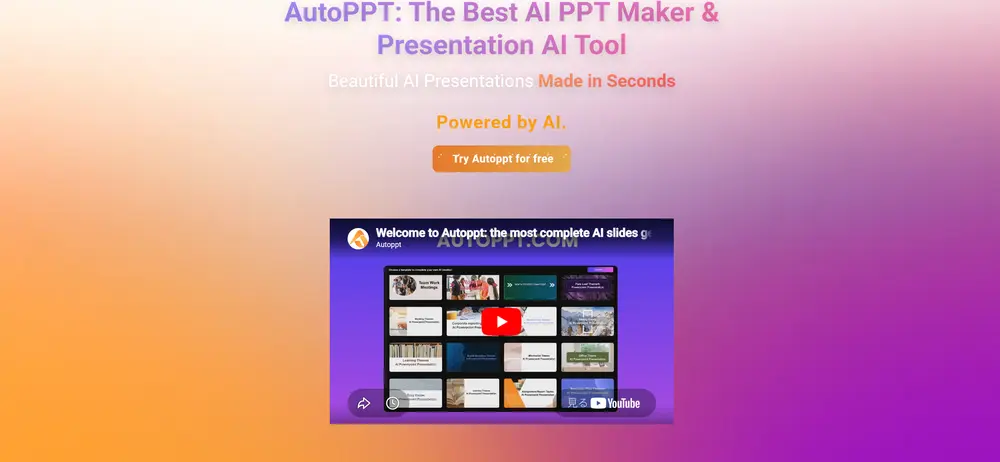
The flow takes only a few moves. You either type a topic or upload source material—a Word file, PDF, spreadsheet, plain text, an existing deck, or an image. AutoPPT reads that content, structures it into a narrative, and lays out a complete presentation in roughly a minute. From there you can swap the entire visual theme with a single click, fine-tune text and colors in the online editor, and export to PPTX, PDF, or images, or share a link with collaborators. This "document-to-deck" path is the feature users mention most, because it turns existing material into a presentation without a rebuild.
AutoPPT's feature set
Stripped to essentials, AutoPPT is a fast generator wrapped in a light productivity layer. The standout capabilities:
| Capability | Detail |
|---|---|
| High-volume drafting | Generates 20–30 slides per run, not just a handful |
| Document-to-deck | Builds slides from PDF, DOC, XLSX, TXT, images, and existing PPTs |
| One-click theming | Restyles the whole deck instantly with template switching |
| Mind mapping | Auto-creates mind maps to plan structure |
| Online editing | Adjust fonts, colors, and tables inside the browser |
| Flexible export | PPTX, PDF, and image output, plus link sharing |
| Broad language reach | Content generation in 100+ languages |
| AI add-ons | PDF summarization and GPT-model integration |
The throughline here is breadth of input plus speed of output. If your raw material already exists—a research paper, a quarterly report, a set of notes—AutoPPT's strength is compressing it into a structured deck fast. The 100+ language reach also makes it a reasonable pick for teams that present across many regions.
Pricing and plans
AutoPPT uses a freemium structure. A free tier with limited generation lets you sample the tool, while paid plans raise usage caps and unlock extras like PDF upload, document summarization, and GPT integration. Pricing generally opens around $12.49 per month on an annual commitment, sits closer to $20 on month-to-month billing, and reaches roughly $39.99 for the most capable tier. You can pay by credit or debit card, PayPal, Google Pay, or Amazon Pay. Treat these figures as a snapshot—verify the live numbers on AutoPPT's site, since AI tools adjust pricing often. The practical caveat is the free tier's generation limit, which can be too tight to evaluate the tool properly before paying.
Inside the editor: the AutoPPT interface
AutoPPT deliberately echoes PowerPoint. Toolbars, drag-and-drop behavior, and editing controls feel familiar, so anyone migrating from traditional software gets going quickly, and the mind-map view helps map a structure before generation. That familiarity is a genuine plus for onboarding. The flip side is depth: because the editor optimizes for simplicity, it gives you less granular control over layout, spacing, and typography than design-led tools. For quick internal decks that is fine; for a polished, brand-critical presentation, it is where many users start to feel the ceiling.
What AutoPPT does well — and where it falls short
Every tool has trade-offs. Based on its capabilities and independent reviews, here is the honest balance.
Where it wins
- Exceptional drafting speed (a deck in ~1 minute)
- Produces long decks—20 to 30 slides—in one go
- Reads many file types, including spreadsheets and images
- Familiar, low-learning-curve editor
- Generation in 100+ languages
Where it lags
- Design control and customization feel limited
- Results can look templated or generic
- Output needs editing before high-stakes use
- The free tier's caps are tight for real evaluation
What real users are saying
User sentiment is consistent. On the positive side, reviewers and community posts repeatedly single out raw speed and the document-to-deck workflow as the reasons they keep AutoPPT around; the auto mind map gets credit for helping people think through structure before drafting. Educators and business users like that it handles long, content-heavy decks without manual assembly.
The recurring complaint is design. Reviews note that the output can feel generic and that serious presentations need hands-on editing afterward to refine layout and polish. None of that is unusual for AI generators—the result is a strong first draft, not a final artifact—but it is precisely why users who care about visuals tend to compare AutoPPT against alternatives with deeper template libraries. That comparison is what the rest of this guide is about.

How Smallppt compares — and where it pulls ahead
Both tools generate slides with AI and both are fast. The differences show up in the things you live with after the first minute: how good the deck looks, how much it costs to find out, and whether the product improves over time. Here is the side-by-side.
| Smallppt | AutoPPT | |
|---|---|---|
| Design output | Consistent, polished, smart auto-layouts | Functional, but reviews note generic feel |
| Free templates | Larger, more varied free library | Decent selection |
| Try-before-buy | 7-day free trial | Free tier with limited generation |
| Product updates | Continuous updates | Periodic updates |
| Inputs | Text, file, URL, and audio | Text and files (PDF, DOC, XLSX, images) |
| Wider toolkit | Writer, Summarizer, Chat, Mind Map, PDF | Mind map, PDF summary, GPT integration |
| Languages | Strong multi-language support | 100+ languages |
Notice the table is not a clean sweep—AutoPPT genuinely leads on raw language count and high-volume drafting. But the dimensions most people actually optimize for tilt toward Smallppt. Let's unpack the four that matter most.
Whatever you pick, the AI output is a first draft. A quick human pass on facts, tone, and visuals is what makes a generated deck presentation-ready.
Design quality and template variety
The single most common AutoPPT complaint—generic-looking output—is exactly Smallppt's strong suit. Smallppt pairs smart auto-layouts that keep spacing and hierarchy clean with a larger, more varied library of free templates. The result is decks that look intentional rather than mass-produced, and you are far less likely to need a heavy manual cleanup before presenting. If the visual impression of your slides matters, this difference alone can be decisive.
Trying before you buy: free tier vs 7-day trial
There is a meaningful gap between "a free plan with limited generation" and "a 7-day free trial." AutoPPT's free tier lets you dip a toe in, but its caps can stop you before you have produced enough to judge it. Smallppt's 7-day free trial hands you a full week with the premium features, long enough to build several real presentations and decide based on actual work rather than a teaser. For a purchase you may renew monthly, that confidence is worth a lot.
A tool that keeps improving
AI moves quickly, and the gap between a tool that ships continuous updates and one that updates only occasionally widens over a year. Smallppt invests in continuous updates—new features, improved models, refreshed templates—so the subscription you start today keeps gaining value without forcing a future migration. When you commit to a daily-driver tool, that trajectory matters as much as today's feature list.
Beyond slides: the wider toolkit
Both tools reach past slide generation, but Smallppt's suite is broad and tightly integrated: an AI Writer, Summarizer, Chat assistant, Mind Map, and PDF tools, plus the ability to start from text, a file, a URL, or even an audio recording. That extra input flexibility—audio and URLs, not just files—means more of your real-world material flows straight into a deck. The whole content pipeline lives in one place, which reduces the app-switching that quietly eats your time.
Which should you choose? A quick decision guide
Rather than a blanket verdict, match the tool to your situation. Here is a by-user-type guide.
| If you are a… | Better pick | Why |
|---|---|---|
| Student | Smallppt | Free templates and a 7-day trial cover most coursework without cost; clean design boosts grades |
| Business team | Smallppt | Consistent, on-brand decks plus a full toolkit for reports and proposals |
| Educator | Smallppt | Polished lesson slides fast, with varied templates to keep classes engaging |
| Agency / designer | Smallppt | Better design control and template variety reduce manual rework |
| Need very long decks fast | AutoPPT | Its 20–30-slide drafting shines for dense, document-heavy output |
| Need 100+ languages | AutoPPT | The widest language coverage of the two |
Thinking of switching from AutoPPT to Smallppt?
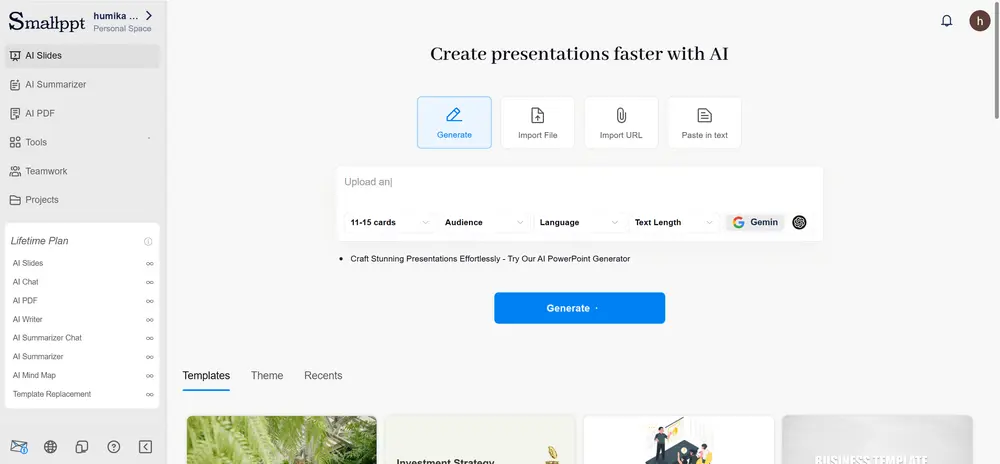
Migrating is painless because your source material is the same. Export your existing AutoPPT decks as PPTX if you want to keep them, then start fresh in Smallppt by pasting the same topic, uploading the same document, or even dropping in a URL or audio recording. Pick a template that fits your brand, let the AI draft, and use the 7-day trial to rebuild one or two real presentations side by side. Most people find the design upgrade obvious within the first deck—and because Smallppt keeps its free templates and tools in one workspace, you rarely need a second app to finish the job.
The verdict
AutoPPT is a fast, capable AI presentation generator, and it earns its reputation for speed, long-deck drafting, and broad language support. If those are your only priorities, it does the job. But for the things most users care about over time—attractive, consistent design, a larger free template library, a real 7-day trial to evaluate properly, continuous updates, and a wider all-in-one toolkit—Smallppt is the stronger, more future-proof choice. The smartest move costs nothing: start Smallppt's free trial, rebuild one presentation you have already made in AutoPPT, and compare the results yourself.
FAQs
Is AutoPPT or Smallppt faster?
Both generate a deck in about a minute. AutoPPT can draft more slides per run (20–30), while Smallppt focuses on producing a clean, well-designed deck you can use with less editing.
Which one has a better free option?
Smallppt offers a 7-day free trial, giving you a full week with premium features. AutoPPT has a free tier, but with limited generation that can be too tight for a real evaluation.
Can I move my AutoPPT presentations to Smallppt?
Yes. Export your decks as PPTX, then recreate them in Smallppt from the same topic, document, URL, or audio. Use the 7-day trial to rebuild one and compare the design.
Which is best for professional, client-facing decks?
Smallppt, in most cases. Its larger template library and consistent auto-layouts produce more polished, on-brand slides with less manual cleanup.